
How to Increase Small Business Engagement on LinkedIn
Are you trying to improve your small business engagement on LinkedIn?
If you have a small business, LinkedIn is a great tool to connect with other professionals, improve your brand awareness, generate new leads, promote your company, and establish relationships with like-minded professionals, customers, and prospective clients.
But how do small businesses increase their engagement on LinkedIn, especially if they’re only starting out?
Don’t worry – the folks at HyperSocial have got you covered. We’re experts at LinkedIn marketing and can help navigate you through expanding your marketing reach on LinkedIn.
Here are five tips on how to increase your small business engagement on LinkedIn.
Tips On How to Increase Small Business Engagement on LinkedIn
LinkedIn is a great way to promote your small business, but it may be challenging to get your foot in the door if you’re inexperienced in LinkedIn marketing.
Read on for some great tips.
1. Your Company Profile Page
Use your LinkedIn company profile page to show off your brand. Share details about your company, including what your company does, your products and services, contact information, value proposition, etc.
Your company profile page is a great way to set yourself apart from your competitors and drive traffic to your website. Be sure to add an engaging and high-quality logo that shows your brand’s personality.
In your value proposition, share how your business provides a solution to a specific problem. Don’t forget to add keywords specific to your company and industry – this will help people find your services.
Write a compelling headline, show off your experience, and make sure you have a call to action. You can optimize your profile for LinkedIn searches by using keywords that people use to search for businesses that are similar to yours. Use these keywords to increase your visibility.
2. Publish Regular Content
When you publish content regularly, you can start to create a more active online presence.
When you post content, LinkedIn notifies your connections. When they see your content, they can repost whatever you share, which puts your business in front of a much wider audience.
You can also engage with connections by commenting on their posts, asking questions, and joining in on engaging conversations. Doing so builds trust with your connections, increases your visibility, and solidifies you as an expert in your field.
3. Join Groups
You should also join LinkedIn groups and engage with the people in the groups to help you build your network. Build connections with the people in these groups to increase your visibility.
Use LinkedIn groups to introduce people to your business and show the value your company offers. Be sure to participate in discussions and make valuable points.
By joining groups related to your industry, you increase your visibility, which can significantly improve your reach and brand awareness.
4. Make Strong Connections
LinkedIn connections are a great way to connect with people in your industry and prospective clients.
The more valuable connections you have, the more likely you will appear on search results pages.
The more connections you have, the more visibility you have. Remember: when you publish posts, those posts also show up on your connections’ home page, significantly increasing your visibility. Take advantage of the opportunity to improve your LinkedIn presence.
The more connections you have, the better the chance that people will see your content, which can help increase business exposure
5. Consider LinkedIn Messaging Automation
Linkedin messaging automation can help you connect with professionals in your industry, generate leads, and increase your business exposure.
Automation allows you to send personalized connection requests to professionals, CEOs, and ideal prospects. You can customize each outreach campaign and use each message to build strong, personal relationships with potential prospects.
Messaging automation also provides you with metrics that allow you to analyze campaign results so that you can tweak each campaign to provide you with the best results possible.
HyperSocial Can Turn Your LinkedIn Profile into a Lead Generation Machine
HyperSocial’s goal is to change the game on how businesses do B2B marketing and sales. We can optimize your LinkedIn profile to help you connect with prospective customers and reach your target audience. In addition, we have lead generation tools, including a LinkedIn messaging service that can help you reach hundreds of leads every month.
Learn more about how our amazing team can help you here.
Liked this article? Here are three more!
- How to Increase B2B Sales Using Effective Lead Generation Tools
- Our Most Successful B2B Clients: What They’re Doing on LinkedIn to Reach Crazy Results
- The Diverse Network Case Study: Using LinkedIn as a Growth Accelerator for a Meaningful Community
{{cta(‘bd452d50-fbeb-46ea-a9d0-fd29e6a1cd17′,’justifycenter’)}}
What is Sales Copy, and How Can it Benefit Me?

Do you know how to write a good sales copy on LinkedIn?
Sales copy is a critical part of the consumer’s decision-making process. Good sales copy can decide if a consumer chooses to make a purchase decision.
While videos and other visuals have their place in marketing, sales copy has a unique – and vital E2- role. Sales copy is a critical tool to compel consumers to take action.
Many digital marketers underestimate the importance of sales copy or why they need it to generate leads. Good sales copy gives businesses a leg up over their competitors and increases revenue.
Here’s everything you need to know about the importance of sales copy, how it can benefit you, and how you can create compelling sales copy that produces results.
Read on to learn more.
What is Sales Copy, and How Can it Benefit Me?
Sales copy persuades consumers to purchase a product or service. It should always explain how a consumer can benefit from a product or service.
Many copywriters don’t understand how to properly write sales copy to entice consumers to make a purchase decision. Instead of explaining the benefits of a product or service, many sales copywriters only write about the features. This type of copy does not entice people to make a purchase decision.
Excellent sales copy reaches people on an emotional level. It taps into their emotions and feeds into their desires. A good sales copywriter reaches out to consumers by understanding their pain points and the problems they face.
Good sales copy helps you get more sales, helps customers make educated decisions, produces revenue for your business, builds your brand image, creates an emotional bond with your audience, and brings out your brand’s personality.
Tips on Writing Sales Copy That Produces Results
Sales copy must highlight the benefits of the product that your target audience needs.
Here are tips on creating persuasive, engaging sales copy to produce revenue for your business.
1. Use Compelling Copy
Compelling copy is the most critical part of successful sales copy. Avoid boring, monotonous, and dull copy.
How can you captivate your audience? How can you evoke an emotional response that entices people to want to learn more?
To write good sales copy, discuss your product’s benefits, not its features. Use storytelling and engaging language, focus on one point and end it with a compelling call to action.
2. What Are Your Goals?
While your end goal is always to sell something, what is your overall goal? Do you want this sale to lead to more awareness about other products or promotions?
Sales copy is an excellent way to push consumers to make a purchase decision leading them to take other forms of action. By understanding your goals, you can write better sales copy that helps guide you towards business growth.
How many people do you want to reach? Are you looking for people to sign up for a specific reason, or do you only want people to purchase products? Outline your goals and incorporate them into your sales copy.
3. Who Is Your Target Audience?
Identifying your target audience allows you to better understand who you are writing the copy for. When you know your target audience, you better grasp what they need, their problems, their values, and how you can help them.
If you don’t know your target audience, you don’t know their desires or pain points. Your sales copy will fall on deaf ears. Understand your target audience’s challenges, goals, and pain points.
How can you help solve a problem that they face? How can you emotionally connect to them and bring value to their lives?
4. Focus on a Pain Point
Every consumer that purchases a specific product has a pain point. They buy a product to solve a problem or satisfy a desire, so you have to do your research to find out what these pain points are.
Learn more about their demographic and the things that frustrate them. How can you address these pain points in a way that will convince them that you’re the answer to their problems?
5. Tell a Story
Storytelling helps people connect with brands. Your brand story should compel people to want to learn more about your product or service and make a purchase decision.
Tell a story that resonates with your audience on a personal and emotional level – something they can connect with and relate to.
6. Focus on the Benefits
How does your product benefit consumers? Why should they come to you over your competitor?
It is critical to integrate the benefits of your product and services into your copy. Instead of talking about the features of your product, explain how the features can benefit your audience.
How will your product’s features give consumers a positive outcome? How will it improve their life or solve a problem?
7. Call to Action
Every sales piece should have an eye-catching call to action at the end of the copy that is enticing and encourages people to make a purchase decision.
Without a call to action, the copy is pointless – you’re writing the copy to make a sale after all, and if you’re not adding a call to action at the end, your consumers won’t have anything to entice them to make a purchase decision.
Examples of compelling calls to action include:
-
- Schedule a free consultation today
- Spend less on sports gear today
- Subscribe today so you never miss a promotion or giveaway
- Learn more about improving your life here
Remember: Your sales copy is responsible for producing revenue for your business.
Excellent sales copy can also significantly help you grow your network on LinkedIn.
LinkedIn is one of the most powerful platforms to connect with businesses and leads. If you’re struggling to write good sales copy on LinkedIn, we can help.
HyperSocial Can Turn Your LinkedIn Profile into a Lead Generation Machine
HyperSocial’s goal is to change the game on how businesses do B2B marketing and sales. We can optimize your LinkedIn profile to help you connect with prospective customers and reach your target audience. In addition, we have lead generation tools, including a LinkedIn messaging service that can help you reach hundreds of leads every month.
Learn more about how our amazing team can help you here.
Liked this article? Here are three more!
- How to Increase Small Business Engagement on LinkedIn
- How to Qualify Prospects on LinkedIn
- 5 Tips for LinkedIn to Optimize Your Presence
Why Your Social Media Marketing Strategy Should Focus on LinkedIn
Do you have a LinkedIn social media marketing strategy?
While your social media strategy will likely look similar on specific platforms, your LinkedIn page should have its own strategy.
LinkedIn is the best social media platform to connect with professionals in your industry. It is one of the best tools companies can use to build their brand, connect with other professionals, generate leads, and build their reputation.
LinkedIn is a professional networking tool, while other social media platforms are more personal. Because of this, your LinkedIn social media marketing strategy needs to differ from what you do on other platforms.
Here’s why you need a powerful LinkedIn social media strategy.
Why You Should Create a LinkedIn Social Media Marketing Strategy
How you use LinkedIn should differ from how you use your other social media platforms.
Most social media platforms focus primarily on social networking. They do not focus on connecting businesses but rather on connecting people with one another. LinkedIn, on the other hand, focuses solely on professional networking.
With over 800 million users, LinkedIn is essential to growing your professional network and brand.
So, while your social media strategy for Facebook or Instagram may work on some levels, your LinkedIn social media strategy must focus on B2B marketing, connecting with professionals, and reaching out to potential new clients.
Here’s everything you need to know.
Use LinkedIn To Promote Company Content
Unlike most social media platforms, people use LinkedIn solely to promote their brand, business, or professional skills.
Most social media platforms are not meant for professionals to promote their own companies or careers – they are meant for people to share their personal lives and daily experiences.
LinkedIn encourages users to use their personal profiles to engage with their company, engage with other professionals, and create/comment on content specific to their industry. This can go a long way in demonstrating thought leadership, improving credibility, and expanding your network.
Long-Form Content
On LinkedIn, long-form content is all the rage.
Remember: LinkedIn is where people get information about businesses, brands, and other professionals. Content like videos or other educational long-form content educates people and performs best on LinkedIn.
Don’t be afraid to publish articles on LinkedIn. The more you can provide value and educate others, the better. People on LinkedIn are looking for information related to their specific industries – whether they are professionals looking to connect with other professionals or consumers interested in specific businesses or products.
Take advantage of posting long-form content not only on your page but also on groups. Engage with others and make your business visible.
Other platforms like Facebook and Instagram rely on shorter-form, to-the-point, and concise content, but LinkedIn users look for content that shows thought leadership.
Lead Generation
LinkedIn is one of the best tools businesses can use to generate leads. If your social media marketing strategy does not include a LinkedIn strategy, you could be missing out on potential leads and business growth.
LinkedIn offers many opportunities to connect with other professionals, build your brand and reputation, communicate with thought-leaders in your industry, and connect with potential customers.
By building strong connections, joining groups, and using tools like LinkedIn automated messaging, you can grow your brand, connect with leads, and improve your online visibility.
HyperSocial Can Turn Your LinkedIn Profile into a Lead Generation Machine
HyperSocial’s goal is to change the game on how businesses do B2B marketing and sales. We can optimize your LinkedIn profile to help you connect with prospective customers and reach your target audience. In addition, we have lead generation tools, including a LinkedIn messaging service that can help you reach hundreds of leads every month.
Learn more about how our amazing team can help you here.
Liked this article? Here are three more!
Demand Generation vs. Lead Generation
Demand generation focuses on creating marketing initiatives and strategies that build brand awareness, improve your reputation, and create more demand for your products and services.
If you’re not focusing on demand generation in your digital marketing initiatives, it’s time to start.
Demand generation can be anything from blogging, videos, podcasts, newsletters, and everything in between. It can significantly improve lead generation efforts and help you build relationships with other brands and potential customers.
Examples of Demand Generation
Demand generation focuses on marketing campaigns that create demand for a product, while lead generation collects information about prospects to turn them into leads.
Here are a few examples and benefits of demand generation.
1. Networking
By networking with other professionals in your industry, you can grow relationships and get to know what other people or professionals have to offer.
This way, you can build relationships for future endeavours.
Are you using LinkedIn?
One of the best ways to build relationships with others in your industry is through LinkedIn. By growing your LinkedIn network and expanding your connections, you can make your posts more visible, increase your brand awareness, and exchange ideas with like-minded people.
These are ways to grow your business and create referral contacts for other clients.
2. Partnerships
By creating partnerships, you can grow your network and develop relationships that are not solely based on selling your products and services.
Creating partnerships and expanding your network is mutually beneficial in that both parties promote what the other has to offer.
It’s a win-win situation for both parties involved!
3. Getting on Podcasts
When you get on podcasts, you can spread the word about your business and gain more exposure. You can also meet new people in a less professional setting and reach a new audience that may not be on LinkedIn.
Going on a podcast is an excellent way to create new buzz about your product and get your business in front of a brand new audience.
4. Create Traffic to Your Website
By expanding your marketing and focusing on-demand marketing instead of just lead generation, you can drive more traffic to your website.
When you expand your marketing exposure, you can gain more awareness with your desired audience and drive traffic to your website.
5. Lead “Boosting”
By “boosting” your leads, you complete soft follow-ups that don’t come off as too aggressive. Soft follow-ups are an excellent way to keep your business on potential leads’ and prospects’ minds. It’s also a great way to keep leads warm.
6. Getting Sponsorships
Sponsorships are an excellent way to get social proof and increase your marketing initiatives. Not only do they boost your reputation, but they also strengthen your credibility and can go a long way in making you look like a thought-leader in your industry, which helps with your social proof.
7. Using Automation to Bolster Relationships With Current Clients
Automation is an excellent way to bolster relationships with clients. You can automate checking their pages for updates and liking their posts.
8. Fundraising
Fundraising shows off your other passions and things you’re interested in, but it also raises money for a cause, creating social impact and improving your brand awareness.
The Main Differences Between Demand Generation and Lead Generation
Demand generation increases brand awareness, educates your target audience, builds trust, and sparks interest.
On the other hand, lead generation captures audience contact information, directly nurtures qualified leads, demonstrates brand value and differentiation, and ultimately converts leads to customers.
HyperSocial Can Turn Your LinkedIn Profile into a Lead Generation Machine
HyperSocial’s goal is to change the game on how businesses do B2B marketing and sales. We can optimize your LinkedIn profile to help you connect with prospective customers and reach your target audience. In addition, we have lead generation tools, including a LinkedIn messaging service that can help you reach hundreds of leads every month.
Learn more about how our amazing team can help you here.
Liked this article? Here are three more!
Eight Simple Ways to Stand Out From the Crowd on LinkedIn

Social Media has become one of the most important marketing tools for B2B businesses. It can help you gain organic traffic and build your brand. Linkedin is probably the most important one for small businesses, especially those that don’t have an established following on other platforms.
Why Standing out on LinkedIn Matters
LinkedIn has over 800 million active members. A platform with that many users is powerful. But it’s difficult to differentiate yourself from the group.
Whether you are using LinkedIn to recruit or to promote your business, it’s important to have a profile page that is professional and organized.
Just like any social media platform, your presence on LinkedIn represents your brand. Your personal page is where you can showcase everything about yourself and what you do.
Core Profile Sections to Focus On
LinkedIn has 19 different sections that can be used on your personal profile. The four most important sections are the headline, the banner photo, the about section, and the experience section.
We’ve deemed these sections the most important because they are at the forefront of your page. Without these sections polished, your LinkedIn page will have no info about you, which is the entire point of a profile page.
Banner Photo
This photo will be at the top of your page. You can take a creative license with this photo.
Your banner photo is the largest and sets the aesthetic for the read below. Your banner photo is the face of your page, even more so than your profile picture. Its size captivates the page in a way your profile photo does not. It’s the only area where you can incorporate any visual branding.
Headline
This is the first thing anyone will read about you. This is the initial and key description of yourself that will be available on your page, right next to your name.
Your headline is the first statement you make to your page visitors. It’s like the first words that come out of your mouth. Your headline serves as a first impression.
About Section
This is where you will write your summary or bio. LinkedIn’s about section has a character limit of 2,000. That can be anywhere from 285 to 500 words.
Your summary is the beating heart of your page. Everything else compliments this section. Without it, the other sections have no context.
Experience Section
The Experience section will flesh out all of your past experiences. You should put a short bio describing your role at each position here.
Your experience section is like the brain of your page. It shows your past experiences as well as the specific responsibilities you’ve held. It is direct proof that you have been depended on in the past.
As you update your profile page and navigate the LinkedIn platform, you will want to make sure you are doing so in an efficient way. So we’ve compiled some different tips and tricks to help you stand out from the crowd.
Eight Simple ways to Stand Out
1. Write a detailed and interesting summary about yourself
If you’re a business owner, your summary should not only be about you but your company. Attention spans have shrunk these days, and you want people to easily find what your company does from your personal page.
It’s important to make information accessible. You cannot depend on people to click from your personal page to the business page to its official website to find out details about your company.
If you are not a business owner but are doing outreach on LinkedIn for your company, be sure to center your summary on your current company’s products or services while highlighting relevant personal accomplishments you’ve had at your current job, past job, or outside of the workplace.
2. Include a Call To Action in your Summary
Including a call to action at the end of your summary is another way to stand out. Invite people to email you with questions or to connect, and include your email. This way, if someone comes across your page, they can easily contact you.
This call to action not only adds a suggestion for the person to reach out to you, but it shows you are genuinely interested in connecting with people. By supplying your email address, you’re instilling trust by supplying your contact info.
3. Use an Updated Photo as your Profile Picture
You’ll often hear people say that you need to use a professional photo for your profile picture, but that’s not the only way to do it. So long as your photo is a current photo of you, it should work perfectly. Just make sure you look like yourself in the present, and not how you did 10 years ago!
There is no reason to drop money on getting a professional headshot unless you want to! Sometimes, photos like that can actually make you look less approachable. And at HyperSocial, we stress how important it is to humanize your pages. Not everyone has the money to drop on their profile photo on LinkedIn!
4. Let your branding shine in your Banner Photo
If you want to promote the company you work at or work for, you can use this part of your page to include your company’s branding. If you are a freelance B2B, you can use this space to portray your branding or even put a photo of your favorite city skyline.
Anything that could be a talking point is great to showcase here. You can also include your website and your email on the photograph. Since this is the most visual part of your profile, it’s good to include your contact information.
There is no way to hyperlink text included on a banner photo, but just including it there puts it at the forefront of your page so people know where to look to learn more about you.
5. Stay Active on LinkedIn
If you’re not engaging with your network, then what’s the point in having LinkedIn?! We often forget that LinkedIn is social media. So get social! Make sure you are posting at least once a week. But don’t put pressure on yourself when it comes to the content.
Your posts can be as simple as stating what you ate for breakfast and how it set you up for a good day, to an article you read and enjoyed. You don’t need to be posting advice or inspiration for people. Just content so your network is reminded you are a human being, not just a professional.
The more you engage with others’ posts, the more likely they are to engage with yours. So make sure to like and comment on posts that resonate with you!
6. Utilize the Recommendations Feature
Tons of people don’t know that you can give and receive written recommendations directly on LinkedIn. Having recommendations on your page are great for social proof – it’s like having a Yelp review about yourself!
Ask clients, coworkers, or friends to write one by following these easy steps.
1. Go to your profile
2. Click the “add profile” section
3. Click Recommended
4. Click add Recommendations
5. Follow the steps and write out your message to who you are sending the request to
6. Click send and you’re good to go!
7. Use Memes in your LinkedIn Messages
When directly reaching out to people, be as casual as possible while still being appropriate. A LinkedIn message is not an email, so there is no need to sign off or use a fancy opener. Try your best to write the same way you talk.
We suggest being creative to stand out from the rest of the messages people will receive in their inboxes. A great way to do that is with memes or photos to spice up your messaging.
A funny meme about your shared industry goes a long way. A picture is worth a thousand words, and a meme is worth a million. Don’t shy away from being fun and letting your personality shine through!
8. Join Groups that are relevant to your goals
Make sure you are joining groups that are filled with people you hope to network with. There are tons of groups for new CEOs, experienced CEOs, SAAS salespeople, marketers, and more.
LinkedIn is there to help you grow your network and grow your business, so make sure to join these groups to see relevant posts and webinars that are within your scope of business. Groups are basically a community for you to join to grow your network and resources.
HyperSocial can help you with all this and more
HyperSocial’s goal is to help B2B businesses to humanize their outreach while keeping a positive presence on LinkedIn.
We teach you our process and help implement it so your day-to-day sales outreach will transform.
Check out more about it here!
Liked this article? Here are three more!
Why Who You Target Is More Important Than What You Sell
The Alternative Board, Ft. Lauderdale Case Study: Working On Your Business Rather Than In
HyperSocial’s Favorite Things: Businesses that Help your Business Grow
B2B companies live in a cycle. They help your business, which helps their business, which helps your business. It’s the Circle of Success, and it moves us all. That being said, some B2B businesses are breaking bounds in helping other businesses.
Different ways B2B businesses help each other
B2B businesses help businesses grow with internal and external solutions. They can help internally to streamline processes, implement software, or to take over certain aspects of your work activities. They can also help with SEO, lead generation, or recruiting.
Internal B2B solutions can do a myriad of things for a company. Streamlining processes lets your employees be more efficient in their day-to-day work. Offering different tools provided by B2B companies can help your employees to collaborate more efficiently.
External B2B solutions can help your business gain more notoriety. They can also help you gain more clients, and grow your professional network.
A growing business can simultaneously raise ROI and employee morale at the workplace. Happy employees mean harder-working employees.
We’ve compiled a list of HyperSocial’s favorite companies that will help your business to grow!
Zapier
Ever been doing a task and thought to yourself, “why am I doing this? A computer should do this!” Well, that’s where Zapier comes in.
Zapier is a top-tier automation software company. It boasts 5000+ app integration capabilities including some fan favorites like Google Workspace, Slack, Asana, Calendly, Zoom, and Instagram.
By automating processes in your businesses, your employees have more time in their day to stress different muscles and get more done. It eliminates room for human error and removes busy work from your employees’ job descriptions.
PrestigeLinks
SEO is a complicated process. Backlinks are one of the most important parts of SEO. They build authority for your website and business, which helps your website to rank and get more views.
PrestigeLinks takes this tiring process off your hands. The PresitgeLinks team will manually run the entire process so that there are no spammy or fake posts linking to your website. They will handpick which sites to reach out to, write humanized content for your company, and improve your SEO with a personalized touch.
In June 2022, the Google core update rolled out. There has been a lot of noise that the update includes changes to AI-generated text, topical authority gaps, and poor backlinks. It’s important now more than ever to not automate anything related to your SEO. PrestigeLinks has got you covered so you can rest assured your SEO is being taken care of with a careful hand.
Buffer
Managing all social media accounts can be really time-consuming – sifting through comments, scheduling content for specific times, and measuring how your posts are going. Buffer is a social media management tool that makes all of that significantly easier.
Buffer allows you to access all of your social media outlets from its platform so you can see everything in one place. You can track how campaigns are going, create one post and tailor it to each platform, and plan out your posting schedule.
Buffer cleans up a messy process and makes everything accessible in one place. It’ll save you time and level up your social media presence.
Toggl
Time blocking, tracking time, focusing on one task at a time – it can be a lot! Toggl Track is a tool that will help your employees track their time during the workday. It’s difficult to know how much time is spent on different tasks without a timer running. Toggl Track allows you to track your time as you work and designate each time block to what you worked on. It even tracks your mouse and keyboard usage to include idle time if you so choose.
There are tons of cool features within it – you can set an alarm that will remind you to get up and stretch throughout the day to prevent from lack of exercise and improve productivity and health. Toggl has 2 other tools – Togglplan which helps with work planning, and Togglhire which helps with candidate screening.
Knowing where your employees are spending their time will help you to goal set and change processes where needed. Toggl makes time management easy and thoughtless!
Miro
Whenever someone is trying to crack a case, they without a doubt have a corkboard or whiteboard at their disposal. It helps with efficiency! Miro is an online whiteboard tool that updates in real-time and allows for nonsimultaneous collaboration among teams.
This visual infinite canvas is great for brainstorming, planning, mapping, designing, and more. Teams will find their productivity skyrocket with this tool that allows for communication, collaboration, and visualization from anywhere in the world.
Justworks
Smaller companies often struggle to supply benefits to their employees. It’s difficult for them to access resources the way larger established companies do. Justworks has created a platform that combats that.
Justworks’ platform handles the core of payroll, benefits, HR, and compliance. Simplifying this aspect of your business will free up time for you and your employees to work on building your company. It also will guarantee your employees feel taken care of outside of the workplace.
HyperSocial can help your business to thrive
HyperSocial’s goal is to help B2B businesses to humanize their outreach while keeping a positive presence on LinkedIn. We teach you our process and help implement it so your day-to-day sales outreach will transform.
Check out more about it here!
Liked this article? Here are three more!
- Eight Simple Ways to Stand Out From the Crowd on LinkedIn
- Why Who You Target Is More Important Than What You Sell
- The Diverse Network Case Study: Using LinkedIn as a Growth Accelerator for a Meaningful Community
The Importance of Relationship Generation in B2B Sales

It all starts with a conversation. No B2B sale has ever been made without some collaboration and discussion. To get your foot in the door with potential clients and customers, you need to start talking.
Meaningful conversations are arguably more valuable than leads. Building relationships lays the groundwork for future collaboration as well as for referrals. It helps speed the flywheel of your company, whether you see the results overnight or not.
The best place to start your relationship generation is LinkedIn. LinkedIn is the easiest platform to start conversations with people. People go on there every day ready and willing to answer their messages and read content.
What is Relationship Generation?
Relationship Generation is all about creating trust and starting meaningful conversations with people in your ideal target audience. It helps you to build a network of real people you actually know.
Rather than looking at all conversations as transactional, it allows for the pressure to be off, and therefore allows you to present as less “salesly.” Relationship generation is more in line with demand generation, but relationship generation on LinkedIn will always be your most efficient source of keeping your pipeline full.
What is Demand Generation?
Demand generation is a marketing strategy that focuses specifically on building brand awareness which results in high-quality leads. It goes hand-in-hand with relationship generation due to the aligned content that results from both strategies.
What is Lead Generation?
Lead generation is the process of pinpointing your business’s ideal audience, and then attempting to convert them to clients and customers. It is much more transactional.
Good lead generation is rooted in relationship building. Without meaningful conversations, most ideal clients won’t realize what you have to offer and therefore won’t convert to leads.
LinkedIn for Relationship Generation
Although LinkedIn is a platform created to build your professional network, it is first and foremost a social media site.
The more content you read on LinkedIn, the more you will realize that not everything that is posted is “professional.” By all means, everything should be appropriate, but every post does not need to be about what your company does. When relationship building, you want to post things that show that your company is well-rounded.
LinkedIn is the best place to prioritize relationship generation campaigns because you can post and direct message people all on the same platform. With a constant flow of relatable content and messages being sent to your target audience, you have the relationship generation recipe for success.
The Content you Share on LinkedIn
When you stop focusing on finding leads and shift your focus to building relationships on LinkedIn, your content will go through a transformation.
When you switch your goal from getting more clients to building more relationships, you will notice your content on the LinkedIn platform will become more relatable. The more your content resonates with your audience, the more likely they are to engage with it.
The Importance of Storytelling
To have B2B business success, you need to humanize everything you post on LinkedIn. A great way to humanize your content is to put an emphasis on storytelling.
People like to buy from people, not businesses, even in the B2B world. Shedding light on the people behind your business is a great way to humanize your business. Here are some different approaches to take when it comes to storytelling with your LinkedIn content.
Highlight your Services with a Story
When posting on LinkedIn, make sure not to just list your services in bullet points. If people want to see a list of your services, they can look at your website!
Instead, tell a story about how your service helped someone, or how your services are evolving. Whether it’s a story about one of your employees taking on a new project that can help your clients out, or it’s a story about the success of one of your clients, you will be showing emotion, and engaging your readers without forcing them to read a pitch.
Showcase your Employees
Telling the stories of your employees is another great way to raise brand and culture awareness. Companies that value their employees are some of the most successful – in fact, companies with good work cultures have seen their revenue growth quadruple.
When you showcase your employees by sharing what they’re working on, their past experiences, and what brought them to your company, you have a higher chance of someone relating to your content and wanting to engage. Your employees will feel valued and your relatable content builds awareness of your company culture. It’s a win-win!
Post about what your Company does Outside of the Office
If your company does anything as a team outside the workplace, let your audience know! Whether it’s volunteering, a happy hour, or playing trivia, it shows that your employees are more than just the company they work for.
It shows that you are a business with real people who do real things. Not robots who work their jobs and then go to sleep.
What else will help enhance my relationship generation?
Connecting with and growing your network are two equally important actions. Relatable content is necessary, but without an active outreach campaign, you’ll have a harder time seeing relationships grow.
At HyperSocial, we utilize our platform, The HyperSphere, to help you create a relationship-building LinkedIn outreach campaign. You can send connections and direct messages to people in your desired audience without having to think about it every day.
We have specific ways of humanizing our automation. A person writes every message that gets sent, and once someone answers, the automation turns off so that no one receives a message that seems robotic.
As connections and messages send, you need only answer once a response comes in. You will be growing your network by making personal touch bases with these people.
Relatable content and an outreach campaign are powerful together to build your network in a personal and intimate way.
Long-term Goals vs. Short-term Goals
When you prioritize long-term goals and plan for the future with LinkedIn relationship building, you will be helping the longevity of your company. The future can arrive at any moment, and we all know that the sales pipeline is longer than it says it is within our CRM.
You never know who has a brother whose company will needs a hand with what you offer 5 months from now. You never know who needs exactly what your company offers but needs it next quarter. The more people you know, the more trust you build.
By building relationships rather than just selling, your pipeline is more likely to be full of referrals from friends who want you to succeed and who will in turn trust you and possibly use your services down the line.
HyperSocial can help your business to grow
HyperSocial’s goal is to change the game on how businesses do B2B marketing and sales. We help B2B businesses to humanize their outreach while keeping a positive presence on LinkedIn.
Learn more about how our amazing team can help you here.
Liked this article? Here are three more!
1. Eight Simple Ways to Stand Out From the Crowd on LinkedIn
2. HyperSocial’s Favorite Things: Businesses that Help your Business Grow
HyperSocial’s Four-Step Approach
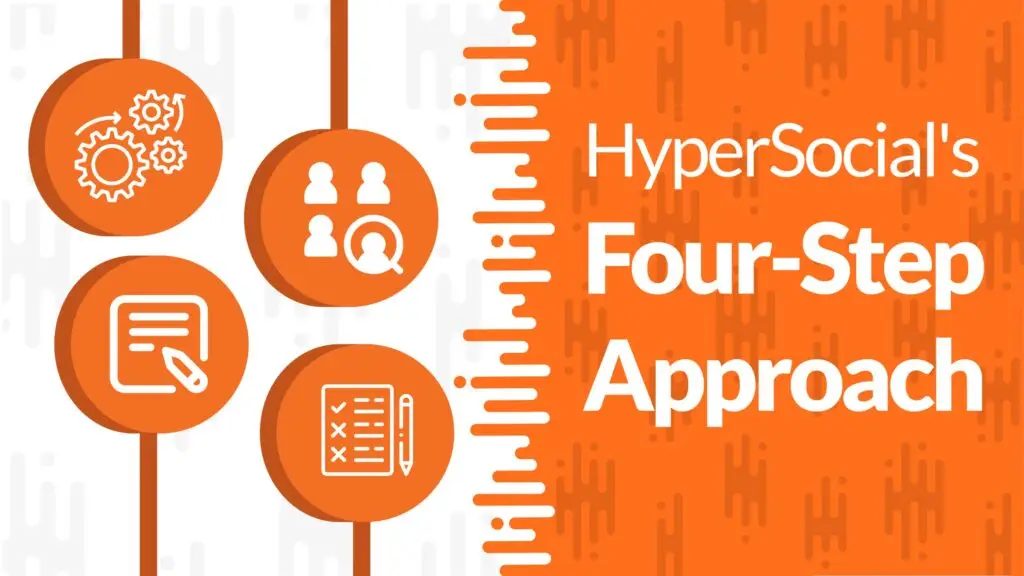
If you’re a B2B company and you’re not running sales outreach on LinkedIn, you need to change that as soon as possible! HyperSocial can help streamline the process so you can get your outreach going. Here’s a look into our process:
1. We’ll Optimize your LinkedIn profile.
When someone looks at your LinkedIn profile, the goal is to have all of the information that they could need easily accessible right there on the page. We will fix up your profile – specifically your headline, about section, experience section, and banner photo.
We will highlight your business as well as your personal accomplishments. Attention spans have dropped significantly over the past years, and we want people to get the most information possible with the least amount of clicks.
2. We’ll Identify your Target Audience using LinkedIn Sales Navigator
Who you target on LinkedIn is so important – arguably more important than what you are selling. We will discuss your goals, your past target audience, your current customer base, and who is most likely to answer a direct message on LinkedIn. Once we have a more clear idea, we will dive into the intricacies of LinkedIn Sales Navigator.
LinkedIn Sales Navigator has tons of different filters that we leverage to create a list of ideal candidates for you. Some of the filters we use are current role, past role, geography, industry, and company headcount.
We’ll manually clean the list and makes sure it is set for optimal success – reaching out to people who fit the filters most accurately. At HyperSocial, we make sure everything – even computer processes – is overseen by humans and a careful hand.
3. We’ll Write you a Messaging Campaign
You want to simultaneously grow your network and start meaningful conversations with people on LinkedIn. To accomplish this, we set up 2nd-degree campaigns. We start with a connection request and let our messaging campaigns go from there. We play the long game – starting relationships and conversations with people so you can grow your relationship from the roots.
We have proven strategies that elicit response rates of 28%-35%. We take these approaches into consideration while also taking creative liberty with your messaging to make sure it presents as personalized. Our talented copywriting team will write your messaging and it will go through a review process before we send it to you.
4. We’ll Analyze and Optimize your Campaign Results
We will set your campaign up for success. Campaigns are a marathon, not a sprint. We will measure your campaign performance to continually improve its results. We want to make sure every dollar you spend with us gets you the best possible return on investment.
We can change your messaging, pivot target audiences, and even have the ability to manage your inbox responses if need be. We want you to get everything you can out of this campaign. And we work hard to get you results that you are happy with.
HyperSocial can Help you with All This and More
HyperSocial’s goal is to help B2B businesses to humanize their outreach while keeping a positive presence on LinkedIn.
Check out more about it here!
Liked this article? Here are three more:
How HyperSphere Helps Recruiters with LinkedIn Automated Outreach
Eight Simple Ways to Stand Out From the Crowd on LinkedIn
Why Who You Target Is More Important Than What You Sell
B2B Sales and Marketing During the Holiday Season

It’s the holiday season. And you know what that means. The end of the year, a generally slower period at work, and lots of pie and hot chocolate. You’ve heard it before – B2B sales slow down during the holidays, while B2C sales speed up. Logically, it makes sense, but it doesn’t need to be the slow period you expect.
With great ideas and a plan, you can set yourself up for success and a strong start to the new year. You should be doing things like showing your clients and prospects you think of them as more than deals, and showing your employees that you value their hard work, especially during December.
The end of the year marks new beginnings and brings up emotions as families come together and memories are made and remembered. Make sure to humanize your sales and marketing efforts to align with the state of the world.
Why To Ramp up Sales and Marketing
Everyone knows marketing and sales efforts go hand-in-hand. While you should still be selling, scheduling demos, and more, you should also be running marketing campaigns during this time of year.
Marketing during the holidays can be really fun – Instagram and TikTok can be great places to create more holiday-themed relatable content about workplace culture during this time of year.
LinkedIn in December
When you are deciding where it’s best to focus your social selling efforts during the holidays, LinkedIn will be at the top of the list. While Instagram and TikTok are great places to market yourself to gain brand awareness, you’ll want to use LinkedIn to target specific people during the season.
Less Competition
Because so many businesses believe that there will be a slowdown, there will be a slowdown in sales attempts. This means there will be less competition for your team, especially in LinkedIn inboxes. There is less of a chance that your outreach gets lost in a sea of sales outreach.
Use automated outreach to ramp up your number of people contacted during this time to keep your pipeline full while you work on other things. You can even add a Holiday themed meme or gif to your messaging!
Set Yourself up for a Strong New Year
When people say “no” to buying your services or products because it’s the holiday season, you’re simply filling your pipeline for the new year. Salespeople will be able to reach out to those people come the new year, and will already have established rapport, which is one of the key sales tactics you need to close deals.
Make sure to start your year off by contacting the people you talked to in December who didn’t close. That way you can get a head start in ramping up those sales!
When you use HyperSphere, you can tag each conversation you have on LinkedIn so you will have your list of conversations to revisit easily accessible!
More Social Media Activity
More people are checking their socials during this time of year. People often forget that LinkedIn is a Social Media Platform. The rise in social media activity means that you should not put a pause on yours.
Make sure you post at least once a week, have your profile spruced up, and run automated messaging campaigns to get conversations started.
In addition to LinkedIn activity, the holiday season is also a great time to run holiday marketing campaigns on your other platforms. Post on your socials as much as possible to raise brand awareness.
This is a good time of year to post brand-aware content that does not directly attempt to sell. A great goal could be to make people feel positive when they see your content so that when you start selling again and are in their inbox, they associate your company with good feelings.
How to Help Boost Sales and Marketing
There are a ton of ways you can boost your sales and marketing efforts without adding stress and a million extra hours to your employees’ days. Here are two ways to ensure that your clients, prospective clients, and employees will all feel valued during the holiday season.
Send cards to clients and prospects
Whether it’s a card by snail mail or an E-card by email, send some cards to your current clients as well as people in your pipeline. It’s a good look that shows that you think about your clients as more than their business. You think of them as people.
Try to personalize these messages best to your abilities. Get account managers to write a short blurb or send a quick video using Loom, BombBomb, or Vidyard.
Reward your Team
Do all you can to make your marketing and sales team feel valued during this time. That can mean aligning the sales and marketing teams with company-wide bonuses, doubling commissions, giving gifts, extra vacation time, or cash incentives.
The more your employees feel valued, the harder they will work. So make sure to prioritize your employees’ happiness, especially during this time of year.
Ideas for End-of-Year Campaigns
There are tons of ways to market and sell during this time of year, but we’ve compiled some ideas to get your creative juices flowing. Some things to take into consideration when planning for this time of year are:
- Your company’s services/product
- Your company’s culture
- Your buyer’s persona
Make sure you have a clear picture of these three things, and you’ll be ready to plan a great campaign for December.
End-of-Year Analytics
You’ve all seen the Spotify Wrapped and Apple Music Replay. Doing something similar to this for your clients can be a great idea. Try sharing analytics with some holiday graphics!
12 Days of Memes
Another great idea is 12 days of memes. Share one meme a day for the 12 days after Christmas to keep a constant flow of content on your pages.
Holiday Season Client Success Stories
Share client success stories around the holidays through a storytelling email campaign. This is a great way to showcase success while also highlighting the holiday season.
Planning Ahead
You should always follow a marketing calendar to make sure you are prepared as projects start up. These three ideas aren’t too time-consuming, so you can add them to your efforts even as the month is coming to its halfway point if your team has the time. End the new year on a high note!
HyperSocial can Help with all This and More!
Trying to ramp up your sales and need a helping hand? Check out our services here to learn more about how we can help.
Like this blog? Check out three more here.
Keeping a Strong Culture in a Remote Company
We all remember how much of an adjustment working remotely was back in 2020. Zoom fatigue, lack of communication, complete loss of culture. But some companies were remote before the pandemic, and HyperSocial is one of them.
We’ve been a remote company since the start, and not to toot our own horn, but we’ve gotten pretty good at it. Over the years, we’ve found that the remote lifestyle actually added to our culture.
We’ve compiled a list of some of the best and easiest ways to keep company culture without an office space. Whether you are a new remote employee or a remote company looking for some fun things to add to your workplace culture, check out our tips for some ideas!
Happy Hours
Every month, our team gathers on a Thursday afternoon for a Happy Hour. We chat and play online games through jackbox.tv. No work talk is allowed! We sometimes offer prizes – Starbucks gift cards galore – to the winners of our games.
This monthly meeting allows everyone on the team to spend some time together without any pressure from work. It’s also really fun to play the games and get to know each other outside of our work context.
Watch a TV Show Together
Who doesn’t love discussing a TV show? If you can find a TV show that’s popular amongst your employees, start a slack group to chat about it!
Our team did a fantasy bracket for The Great British Bake Off. We all guessed who we thought the winner would be after watching one episode, and whoever was right won a cake. It was so much fun.
Reality TV shows with followings like Survivor or The Great British Bake Off are great options because there are tons of online fantasy brackets that you can use to make it easy to track, like this one for Survivor and this one for The Great British Bake Off.
We used the slack channel to post updates and discuss episodes as well as our favorite sweets that were baked.
Slack Channels
Speaking of slack channels, try making some that aren’t just for work topics! If we were working in person, general office chatter would occur. But since we aren’t, it’s fun to have designated areas to banter about certain topics.
Some examples to get the creative juices flowing!
- #dogs-of-work: a channel designated to pictures of employees’ dogs
- #general-fun: a channel where you can be a silly goose. Anything you find fun can be posted here
- #travel-channel: a channel designated to vacation pictures.
- #movies-chat: a channel for movie buffs to give film recommendations.
- #sports-chat: a channel for sports fans, this can be a channel to chat about games, you’d probably need a couple depending on the sport of discussion.
- #calls-of-fame: Ever had a major mess up on a recorded zoom? This channel would be designated to recording bloopers and moments to poke fun at yourself.
- #look-what-I-cooked: any chefs in the house? This channel can focus on recipes and things people cooked for dinner, breakfast, Thanksgiving, or anything else!
Celebrate Wins
Our team goes around on our weekly call to discuss our wins of the week, both personal and work-related. The positivity and encouragement to have a life outside of work is great and fostered by our work-from-home policy.
Chit-Chat
This may sound straightforward, but don’t be afraid to chit-chat! Work meetings are of course for work, but it’s always nice to start a meeting by chatting about what coffee you’re drinking or how someone’s weekend was.
My manager and I call our weekly check-ins “Vibe Checks.” We always start the meeting by asking each other about our daily vibe. Are we energized? Are we exhausted? Are we in a good or bad mood? Addressing this at the beginning sets the mood for the rest of our meeting to be as productive as possible.
Without culture, work can be pretty bleak. Employers should strive to make work a place people are happy to be.
And most importantly, having a positive work environment rubs off on clients too. A happy employee makes a happy client. Joy and positivity are contagious, and screens don’t stop the contagion.
Make sure your employees feel valued and able to be real people at work, and they will work harder and better.
How HyperSocial can Help your Business
HyperSocial’s goal is to help B2B businesses to humanize their outreach while keeping a positive presence on LinkedIn.
Check out more about it here!
Liked this article? Here are three more:
The Secret to Sending LinkedIn InMail
Tips for a Successful First Call with an Outbound Prospect
Cold outreach leads to calls with people who are interested in your product, company, services, or you. But too often, salespeople get onto that call, sales deck in hand, ready to pitch. That’s where things can go wrong.
In some ways, sales can be similar to recruitment. When you are applying for a new job, you never talk to the head honcho on the first call. You typically participate in a phone screening beforehand where you answer questions that determine whether you will be sent forward in the interview process.
Sales should be no different. You are deciding if an outbound prospect would make a good client – if you can meet their needs, if they fit into your ideal target audience, and if a partnership makes sense.
How to Effectively Run Cold Outreach
There are tons of different ways to approach your prospect on a first touch base. But a generally failsafe way to reach out is by asking to simply network and get to know each other. Since that first call should revolve around learning more about a person to see if everything would be a good fit, there is no harm in reaching out this way.
You can give them an overview of who you are professionally and what you do so that there is some context, but there is no need for mentioning numbers and pitching yourself.
You can also approach people by directly asking if they are interested in what you have to offer. Even so, you should lead that first call by getting to know each other. This will help build rapport and establish a bond that will make both parties more excited to chat again, whether it be in a week from now or months into the future.
Once you book a call with someone, you’ll want to have a loose plan for your first call. Not every call is the same, but when it comes to chatting with an outbound prospect, the process will be different than when you’re chatting with an inbound prospect. Your goal should be to make relationships that will last without coming off as too pushy.
Don’t Plan on Presenting on your First Call
As mentioned above, when running cold outreach, there are many different ways to get calls booked. Sometimes, an outbound prospect will get on this first call thinking that it’s simply a getting-to-know-you thing or networking call – which is TRUE! You want to get to know them before you discuss the possibility of working together.
Tons of salespeople doing outbound prospecting are averse to reaching out to people with a networking approach. But if you think a person may be a great client, you’ll want to get to know them to double-check before you discuss paperwork. There’s nothing wrong with approaching this first call as a getting-to-know-you call. It’s actually what HyperSocial suggests you do.
Don’t Dodge your Outbound Prospect’s Questions
Do not avoid a question just because you didn’t plan on discussing it on this specific call. Although it’s best practice to get on this call and not run your pitch, if someone asks you about pricing, there is no need to avoid answering. If anything, not answering will make them more uncomfortable about the transparency of working with you.
Once you’re chatting and your business comes up, it’s only natural that the conversation may evolve from there. When pricing comes up, try starting a meaningful conversation about it, and take it as an opportunity to ask about their budget.
Cold Outreach, Warm Conversations
Just because your cold outreach led to this call does not mean that you should handle this as a cold call. Since the main goal of the call is to learn more about each other, all conversations should be managed kindly and with familiarity.
You should do research beforehand so it’s clear that you are educated on who they are while still wanting to learn more about them. Besides, every client you have now started as a stranger. Cold outbound prospects can very quickly be warmed up to become referrals or clients.
Listen, Listen, Listen!
Before you dive into any “salesy” things, you’ll want to listen to what your prospect has to say. Learn more about their company and their needs before diving into how your company may be able to help. Listening is so important because then you can react accordingly rather than waiting for your turn to talk.
If you have client success stories you want to share, there may be one that is very applicable to your outbound prospect’s needs. But if you don’t listen, you won’t be able to assess that.
Read the Room
To some, this will sound intimidating. To others, this will sound irresponsible. And to others, it will sound exciting. But this is a huge skill when it comes to that first call. The truth is that when you find yourself on a call with an outbound prospect, you have to remind yourself that you’re having a conversation with a person.
If a prospect doesn’t fit the mold for a client right now, or if you don’t fit their needs right now, that’s okay! If you lead this conversation with the goal of getting to know each other and playing it by ear, you’ll likely end the call with, at the very least, a new business relationship.
The reason why we say “read the room” is that all people are different. You wouldn’t conduct yourself in a conversation with a potential job employer the same way you would with your best friend. So reading the room will allow for the conversation to run its best course without anyone forcing anything.
The Takeaway
When you are running cold outreach, your goal should not be to close deals on the first call. Your goal should be to meet new people who may be great clients. If they don’t become a client due to budget misalignment, a lack of needs, or just general pushback, you can still make great relationships and learn from the people you talk to.
That first call is the most important touch base because it will determine if there is a second call. Don’t approach things rigidly, and try your best to go with the flow. Each conversation will vary. But at the end of the day, it’s all about building relationships and going from there.
HyperSocial can Help you with All This and More
HyperSocial’s goal is to help B2B businesses to humanize their outreach while keeping a positive presence on LinkedIn.
Check out more about it here!
Liked this article? Here are three more:
1. The Secret to Sending LinkedIn InMail
A Comprehensive Breakdown of the LinkedIn Personal Profile
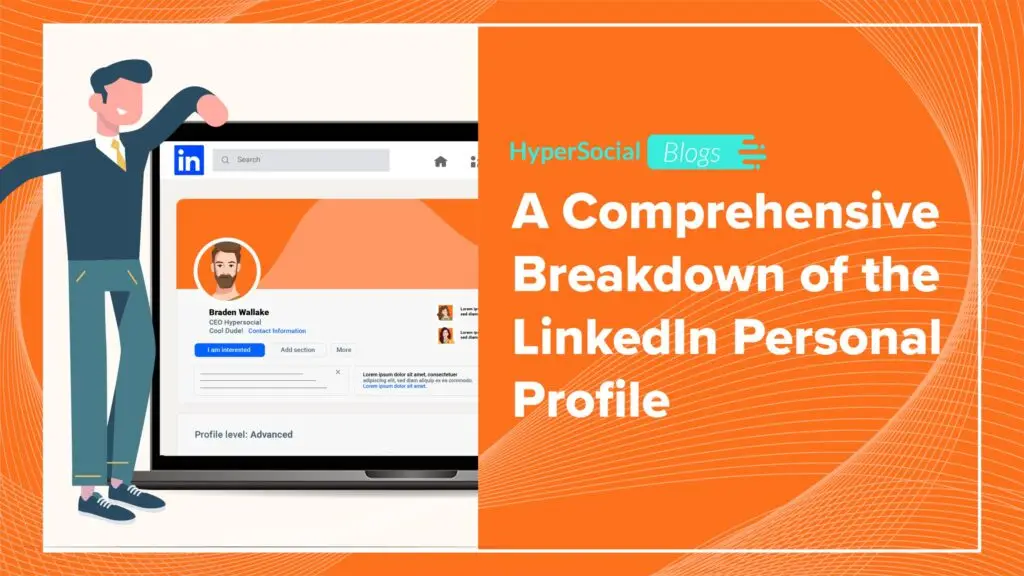
When it comes to your LinkedIn profile, you want it to be current and complete. The more you have filled out your profile, the better. This will do things like raise your SSI score and help you stand out amongst searches on the platform.
When you go to optimize your profile, it may seem a bit overwhelming. There are 14 overall sections within each personal profile.
One of the 14 is considered the “introduction” section which encompasses all these different subsets:
- Name
- Profile photo
- Background photo
- Headline
- Current position
- Education
- Location
- Industry
- Contact Info
- Summary
We’re going to break down each section and sub-section so you know what to include where. Check out our suggestions for how to make the most of each throughout!
Introduction Section
Profile Photo
Your profile photo does not need to be professionally taken, but it needs to be clear and appropriate. Use an up-to-date photo! Make sure you look like your picture. So if you meet someone for a coffee or a zoom, they will know who to look for!
Recommended Pixels: 400 (w) x 400 (h) pixels and 7680 (w) x 4320 (h) pixels
Background Photo
We suggest you put your business logo on your banner photo. Use it as a chance to brand your page to your business.
Type your email and company website address onto the bottom right corner of your banner photo. It’s the most visual part of your page. It’s essential to put your contact information front and center!
If you don’t want to create a business-centric banner, just make sure your banner photo is not empty. LinkedIn has photos you can easily use. Or throw on your favorite city skyline! Anything that reflects who you are as a person, so long as it is not empty.
Recommended Pixels: 1584 (w) x 396 (h) pixels.
Headline
Make sure to state your position and what company you work at in your headline.
You can also include a sentence that describes what you do – almost like a mission statement.
If you want to add some personal flare, go ahead!
Template for a strong headline:
{Position} at {Company} | {sentence describing what you do} | {something personal i.e. iced coffee enthusiast!}
Education
Put your University and any other higher education you have received. Pro tip: you don’t need to include your graduation date on these!
If your high school has a strong alumni network, you can include it, but there is no need.
Location
Make sure this section lists your location in your desired fashion.
For example, some people who live in New Jersey will have themselves listed as “Hoboken, NJ,” while others will have it say “Greater New York City Area.”
Industry
Chances are, you created your LinkedIn Profile a while ago. You may have filled in your industry as something different than the industry you work in now.
List your industry as the one you are currently working in so that your stats will be included within your industry’s Social Selling Index Score, and you will come up in more accurate searches.
Contact Info
Your email is probably already listed here, but you can fill out your phone number and address if you’d like. That’s not to say it’s necessary. Security these days!
Summary
Your about section is at the front and center of your page. There is a 2,000-character limit, which is anywhere from about 285-500 words.
We suggest starting with an overview of your company, including a bulleted section with a short list of the services you provide, and ending with a call to action. You can use any of these bullets for quick access and formatting.
Here’s a CTA example:
“If any of this sounds like something you think you’d benefit from, I’d love the opportunity to speak with you. You can reach me at {email}.”
Experience Section
Take the time to write a short blurb for each position you’ve held that highlights what you did in those specific roles.
Be sure to include each company’s website in the blurb so it is easily clickable if people want to check it out.
Licenses & Certifications
These are good for any certifications you hold through online courses, organizations like Red Cross, or anything specific to your industry and role.
If you’re working in a client success role and you happen to have your certification in Front-end web development, include that! The more professional certifications you have, the more well-rounded a professional you present as!
Skills Section
Skills will be a great area to highlight the specific skills you have gained throughout your career.
But you should also let your personality shine! If you sing but you’re in sales, go ahead and throw in singing as a skill! If you play baseball, throw that in there, too!
Recommendations Section
We’ve said it once and we’ll say it again: Social proof is really important on LinkedIn. This section will give you credibility that is visible directly on your page. You can ask connections to write a short blurb vetting for you.
Here’s how to request a Recommendation:
Go to your profile ➔ Click the “add profile” section ➔ Click Recommended ➔ Click add Recommendations ➔Follow the steps and write out your message to whom you are sending the request ➔ Click send and you’re good to go!
Courses
Have you taken any impressive courses over your career or in grad school that you want to highlight? This is the area to do that. You’ll be able to pick which job or education it aligns with if you’d like!
No need to include the Yoga freshman seminar class you took, but if you took a specific class that guided you through your career, that would be something to add!
Honors & Awards
You can list any awards you’ve won here. Those can be anything from “Most positive” at work to “Nobel Prize.” If it’s important to you, put it on your page!
Languages
You can list any languages here that you feel comfortable communicating in.
Be careful with the languages section! You may think that you are fluent in french, but if you haven’t spoken it since college, there is a high chance you may only be conversational! Just make sure you are honest so you don’t find yourself in a sticky situation.
Organizations
Are you a member of any organizations? These can be great for networking and showcasing what’s important to you outside of the office.
If the organization is relevant within your industry, you should definitely include it!
Patents
This section is a bit niche – if your company or you have received any patents, you can include them here. But no worries if you have not – most people haven’t! All the more reason to include it there if you have.
Publications
Include the names of websites, magazines, or journals that have published your work.
Whether it be a satirical magazine, an esteemed business journal, or a food blog, it’s awesome to show publications. You did something and someone else wanted to publish it – that’s impressive!
Projects
This will be an area to list any past projects or current public projects.
If you worked on any that were highly esteemed in your industry, definitely mention them. But if you worked on a small project in a niche industry no one will recognize, you don’t necessarily need to share it here.
Test Scores
We urge against including test scores. People test differently. And at the end of the day, life is not graded. We are judged by the quality of our work outside of a testing environment. Don’t bother adding these.
Volunteer Experience
Volunteer anywhere interesting? Finding a shared passion outside the workplace is a great way to build rapport, so it’s a great thing to include if you do volunteer.
Make sure to consider each thing you add. There is a difference between quality and quantity. People will not read everything on your page so when you are going to add something to your LinkedIn profile, ask yourself these questions:
- Is this important to me?
- Will this resonate with anyone else?
- Does my profile gain anything by adding it?
So long as you answer yes to these questions, you should be good to go!
But as a general rule, if you considered adding it to your LinkedIn page, you probably should!
HyperSocial can Help you with All This and More
HyperSocial’s goal is to help B2B businesses to humanize their outreach while keeping a positive presence on LinkedIn. We prioritize building relationships above all else.
Check out more about it here!
Like this article? Here are three more: