
The Key to Automation for Lead Generation: Human Connection
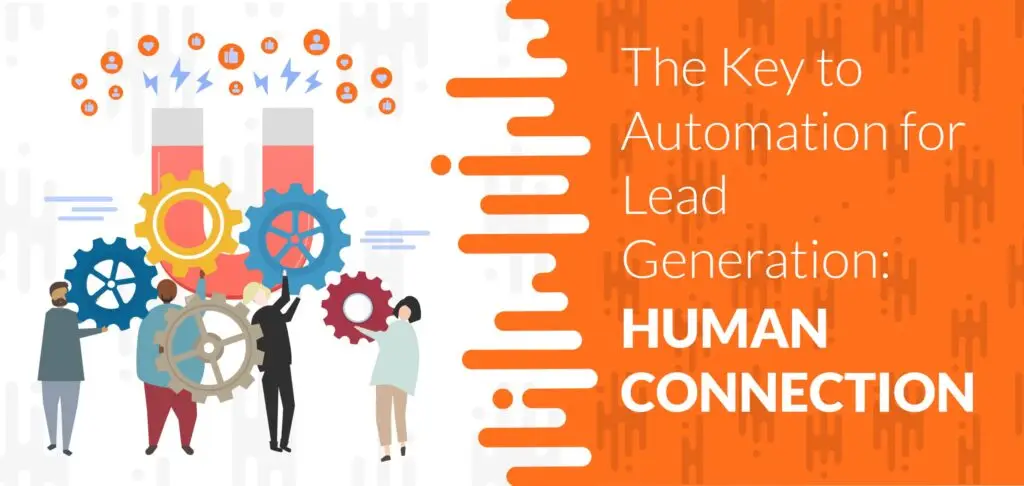
Lead generation attracts potential customers to your business, sparks interest in your product or service, and can turn prospects into paying customers.
Lead generation takes up a large chunk of any marketing strategy and plays a significant role in a business’s success. While some businesses approach lead generation differently than others, automation is one strategy that every business should take advantage of.
You don’t want to miss out on any potential leads, right?
We all know what they say about automation—people seem to have a love/hate relationship with it. One downside to marketing automation is that it tends to eliminate (or at least diminish) the human connection.
I mean, we’ve all seen those automated emails or newsletters that so clearly look like a robot wrote them.
Well, automation doesn’t have to be so robotic. Any marketer knows how meaningful human relationships and connections are with consumers. And whether you like to admit it or not, automation helps save us time, money, and resources that we can put into other more important parts of a business.
So how do you use automation for lead generation without losing that much-desired human touch?
Your trusted friends at HyperSocial are here to help! Read on to find out.
Lead Generation and the Human Connection
While many businesses stray away from specific marketing automation strategies because of its lack of human connection, there are ways that you can use personalized automation to make your marketing efforts more engaging and value-driven.
Improving the Customer Experience
By personalizing marketing automation for lead generation, a business can provide value and generate leads through personalized methods, improving the customer experience.
When businesses create personalized content, they can send the content across many platforms and channels, including LinkedIn, email, and everything in between. They can cater these messages to specific people, demographics, and users interested in what a business offers.
Just some examples of personalized marketing automation include:
- Personalized email lasts
- Dynamic landing pages
- Follow up notifications
- LinkedIn messaging automation tools
Keep it Human by Focusing On Your Audience.
While some forms of marketing automation do take away from the human connection we all strive for, when done the right way, businesses can create campaigns that provide a solution to a customer’s problem while providing value at the same time.
To humanize marketing automation, businesses must first understand how their prospects and potential customers are thinking. What problems are they trying to solve? How can your product or service help them?
To answer these questions, a business needs to do its part—they have to understand and get to know their audience and get an idea of their pain points, goals, and needs. Finding the answers to these questions can help businesses develop campaigns that offer a more human and personalized approach.
The data that a business can gain from marketing automation can help it target the right audience. This type of information gives businesses insight into what people are searching for, their questions, and the types of services and products they need.
When you focus on your audience and use automation to get information about them, you can create better, more personalized campaigns and create more meaningful interactions with prospects.
Marketing automation doesn’t have to be robotic.
A business’s automation approach should engage people and build brand awareness. Businesses can be creative and use it in engaging ways to reach customers who need help solving a specific problem.
Saving Your Business Time and Money
Marketing automation saves time and money so that you can focus on other, more important parts of your business. Through marketing automation, the key to lead generation is creating value and a personalized approach that helps solve a consumer’s problem. One way to do this is by creating humanizing strategies that mimic a deeper human connection—and we can help with that.
HyperSocial Can Turn Your LinkedIn Profile into a Lead Generation Machine
HyperSocial’s goal is to change the game on how businesses do B2B marketing and sales. We can optimize your LinkedIn profile to help you connect with prospective customers and reach your target audience. In addition, we have lead generation tools, including a LinkedIn messaging service that can help you reach hundreds of leads every month.
Learn more about how our amazing team can help you here.
Liked this article? Here are three more!
How To Nurture Your LinkedIn Connections To Make Sales
You’ve Got LinkedIn Responses. Now What?
Our Most Successful B2B Clients: What They’re Doing on LinkedIn to Reach Crazy Results.
6 LinkedIn Business Page Mistakes Every Entrepreneur Should Avoid

If you’re an entrepreneur, or if you own a business, you probably use LinkedIn – and if you’re not, it’s time to get started.
As one of the world’s largest professional networks, LinkedIn is a great way to connect with professionals in your industry, build your brand, and expand your network.
But are you using it the right way? Believe it or not, LinkedIn business page mistakes are more common than you think.
If you’re using LinkedIn for your business, there are certain things you should avoid doing. Making the wrong mistakes on LinkedIn can result in loss of credibility, potential leads, and even a damaged reputation.
Here are the top 6 LinkedIn business page mistakes you should avoid.
6 LinkedIn Business Page Mistakes You Should Avoid
1. An Out of Date Company Page
Your company page and description should always be up to date. It should include keywords about your business and show visitors exactly what your business does.
Include relevant keywords in your description and be clear and concise in your messaging. Be sure to link to all of your team’s profiles. LinkedIn business pages with out-of-date descriptions or content are much less likely to be seen than companies with updated pages.
Don’t forget to make your content engaging, interesting, and helpful. When potential leads or other businesses see your profile page, your content will determine whether they show interest in your brand or not. Be sure to make the best of a professionally written LinkedIn page that shows off your brand, knowledge, and expertise.
Click here for tips on how to optimize your LinkedIn profile for lead generation.
2. Forgetting About the Importance of SEO
Believe it or not, SEO plays a significant role in how people view a LinkedIn page. Your company description should have powerful keywords, which will help it rank better on Google and LinkedIn.
This way, people searching for keywords related to your business are more likely to see your page, which will help improve your reach and get your company in front of potential customers.
When you ramp up your SEO on your LinkedIn page, you increase the chances of LinkedIn members and people who are browsing on search engines seeing you.
3. Not Posting Regularly
LinkedIn has over 60 million visitors every month. When you post company updates, articles, announcements, and more, it helps start a conversation and engage directly with your target audience.
When you post content regularly, it gives you a better chance of appearing in front of your audience, who may share the content on their pages or other platforms. When other people share your content, it widens your reach and gets you in front of even more potential customers and thought-leaders in your industry.
4. Not Making Connections
Never underestimate the importance of LinkedIn connections on your personal LinkedIn page.
When you connect with other entrepreneurs and businesses in your field, you expand your network and are more likely to appear in search results.
More connections mean more visibility, which also means increased exposure. Every time you publish a post or an update, your connection receives a notification, meaning that you can reach a wide range of people and other entrepreneurs.
You can also use your personal connections to help build your business page. A couple ways you can do that is by inviting your personal connections to follow your company/business page, or you can repost and share your thoughts on business posts on your personal page. Both of these methods are great for building traffic to your business page.
5. Lack of Images and Branding
Brand awareness is critical when it comes to LinkedIn. A company page with high-quality photos, images, and branding will make it look more credible, which can help you build your online presence.
Use eye-catching images and banners that are engaging, and remember that humans are visual creatures. They retain visual information much better than written content.
6. Overselling
Selling or sending cold pitches to people on LinkedIn is a common mistake that many entrepreneurs make, and it is a mistake that you should avoid at all costs.
Use your LinkedIn page instead as an opportunity to promote your brand and connect with other thought leaders in your industry.
If you’re making any of the above LinkedIn business page mistakes, it’s time to make a change – and we can help!
HyperSocial Can Turn Your LinkedIn Profile into a Lead Generation Machine
HyperSocial’s goal is to change the game on how businesses do B2B marketing and sales. We can optimize your LinkedIn profile to help you connect with prospective customers and reach your target audience. In addition, we have lead generation tools, including a LinkedIn messaging service that can help you reach hundreds of leads every month.
Learn more about how our amazing team can help you here.
Liked this article? Here are three more!
Is LinkedIn a Waste of Time?

Is LinkedIn a waste of time?
Well, if you’re trying to grow your career or your business and you think LinkedIn is a waste of time, it’s time for a wake-up call.
If you don’t know all the countless benefits of LinkedIn, you’re missing out on business opportunities. These business opportunities can help you generate leads and increase your brand awareness.
The only time LinkedIn is a waste of time is if you’re not using it properly.
If you’re not sure if you’re using LinkedIn properly or are just unsure of all of its benefits, the folks here at HyperSocial are here to help!
Here’s everything you need to know about how to use LinkedIn to promote your business and expand your professional network.
Is LinkedIn a Waste of Time? Absolutely Not! Here’s Why
LinkedIn is the best platform to use for professional networking. Not only can it help you connect with professionals in your industry, but it can also help you connect with potential leads. It can work wonders for improving your brand awareness and expanding your network.
LinkedIn has millions of users. To leverage the platform, you have to know how to use it for business growth.
You need to know how to optimize your profile and your messaging strategy, connect with businesses, find prospects, and more.
Create Business Connections Using LinkedIn
LinkedIn is one of the best ways to develop business connections and leads.
If you don’t have a LinkedIn profile, you could be missing out on developing relationships with valuable business professionals who can open the door for new business opportunities and growth.
You can use LinkedIn to expand your network by connecting with people you know and then branching out by sending personalized messages and connection requests to LinkedIn group members and second and third-degree connections.
LinkedIn puts your business in front of the right people. Why miss out on such an invaluable opportunity to build your brand?
LinkedIn Can Help You Generate Quality Leads
With the right strategy in place, you can use LinkedIn to generate quality leads.
When you use tools like LinkedIn messaging automation, you can create personalized, automated messages that help you connect with leads.
LinkedIn automation tools help businesses and professionals create personalized messages that have a human touch.
Messaging automation saves you time otherwise spent writing out messages one-by-one. It can help you create customized messages that reach your target audience.
With the right outreach campaign, you can reach your ideal customer.
LinkedIn Can Help You Grow Your Business
So, is LinkedIn a waste of time?
If this article has taught you anything, it’s that LinkedIn is anything but a waste of time. It’s an incredible lead-generation tool that can help you improve your brand awareness, connect with professionals in your industry, and reach prospective clients.
If you’re not using it to grow your business, you’re missing out on potential business growth.
So, what are you waiting for?
HyperSocial Can Turn Your LinkedIn Profile into a Lead Generation Machine
At HyperSocial, our goal is to change how you do your B2B marketing and sales. We can help you build a LinkedIn profile that connects you with clients and enables you to grow your business. We can optimize your LinkedIn profile to help you reach your ideal prospects and connect with hundreds of leads each month with our LinkedIn messaging service.
Learn more about how we can help you here.
Liked this article? Here are three more!
Why You Should Use LinkedIn Marketing for B2B Marketing

LinkedIn marketing for B2B is a great way to connect with other professionals, generate leads, and more. Learn more here.
LinkedIn Marketing for B2B is a great way to connect with professionals in your industry, create exposure, build relationships with businesses and buyers, generate leads, and more.
If you’re not using marketing for B2B on LinkedIn, you’re missing out on potential invaluable opportunities to market your business and increase your brand awareness – and who wants that?
Business is about connecting with other professionals and prospects – right? So why wouldn’t you take advantage of one of the world’s largest business networking platforms?
Here’s what you need to know.
What Companies Should Know About LinkedIn Marketing for B2B
LinkedIn has over 750 million members, and many of these members sign up to connect with other businesses.
Another big chunk of these people are consumers looking to buy products from businesses and connect with these businesses.
Professional relationships built on LinkedIn help businesses market their brand and achieve their marketing goals.
When you connect with other professionals in your industry on LinkedIn, it opens up the door to create a bigger network and increase your exposure.
The LinkedIn platform is where trusted leaders and business professionals congregate to network with one another, reach prospective clients, and meet their business goals.
So, remind us – why aren’t you taking advantage of it yet?!
Here’s Why You Should Use LinkedIn Marketing for B2B
LinkedIn is the number one website for businesses to connect and network with one another.
Any business not using LinkedIn to market their brand is missing out on potential leads, brand exposure, and more.
Here are a few reasons why you should be using LinkedIn marketing for B2B.
Lead Generation
LinkedIn is an invaluable tool that you can use to build leads.
Why?
Because LinkedIn gets your business and content in front of the people who are most likely to buy your product.
It can get you in front of consumers who follow people in your network and help you network with other businesses to increase your exposure.
LinkedIn is a great tool to expand your network, send messages and requests for connections to prospective clients and CEOs, and ultimately generate leads.
Build Your Network
By connecting with other like-minded professionals in your industry on LinkedIn, you can build your network, increase your exposure, market your business, and more.
Having a network of people in your industry is essential to a business’s growth.
It helps you create more targeted connections in your industry and reach the people you need to generate leads and market your brand.
Credibility is Everything
Having an extensive list of trusted professionals on LinkedIn helps build a business’s credibility and reputation.
In addition to this, when a business publishes articles, and other businesses share these articles, it increases your exposure and solidifies you as a thought-leader in your particular industry.
Reach Your Target Audience
LinkedIn is a great way to reach prospective clients and leads because it gives you access to emails, user profiles, and other valuable information about people in your industry.
When you start a marketing effort (like LinkedIn messaging, for example), you can upload all the data from your LinkedIn network to reach people who are most interested in your product.
These people are already interested in your product and are that much more likely to convert.
Marketing for B2B on LinkedIn gives you access to potential leads, increased business exposure, and a network full of people who can help your business grow.
Don’t miss out on potential business opportunities – get started with LinkedIn marketing for B2B today!
HyperSocial Can Turn Your LinkedIn Profile into a Lead Generation Machine
HyperSocial’s goal is to change the game on how businesses do B2B marketing and sales. We can optimize your LinkedIn profile to help you connect with prospective customers and reach your target audience. In addition, we have lead generation tools, including a LinkedIn messaging service that can help you reach hundreds of leads every month.
Learn more about how our amazing team can help you here.
Liked this article? Here are three more!
How to Use Sales Navigator on LinkedIn

Do you know how to use Sales Navigator for LinkedIn?
If you’re not using LinkedIn to build your professional network and generate and nurture leads, you’re missing out on potential business growth.
And today, with LinkedIn Sales Navigator, people now have the opportunity to grow their business and grow even more leads than ever before.
So, what is LinkedIn Sales Navigator, and how do you use it?
Here’s everything you need to know.
How to Use Sales Navigator
LinkedIn Sales Navigator is a tool that helps sales representatives search for leads, improve visibility in specific networks, and reach the right people.
Sales Navigator helps sales reps identify the right prospects, tap into the right networks, and improve a business’s visibility.
It allows sales representatives to reach out to leads they are not connected with, which gives them more opportunities to build valuable relationships with potential leads.
Sales Navigator has both paid and unpaid subscriptions. Some of the features include:
- Custom lists
- InMail messages
- Saved leads
- Lead and company search
- CRM integrations
What Are the Benefits of LinkedIn Sales Navigator?
LinkedIn Sales Navigator improves sales results, increases your visibility, and helps you build stronger relationships with both customers and prospects.
Here are more benefits of LinkedIn Sales Navigator.
Targeted Leads
LinkedIn Sales Navigator allows users to use the advanced search option to narrow down their target leads. The Sales Navigator allows reps to use filters to narrow down their search to be as specific as possible, which helps them build stronger relationships and close deals. You can narrow down the search using filters including:
- Keywords
- Location
- Industry
- Job title
- Company size
- Years of experience
The advanced search helps you build relationships with people outside of your network. It also allows you to save leads and create custom account lists. It’s a great tool to use to manage your leads.
Lead Generation
Sales Navigator also has a feature that suggests lead recommendations based on your previous search history, previous leads, preferences, and more. Not only does this save you time searching for leads, but it helps you get more qualified leads faster and helps you build your network.
Instant Insights
LinkedIn Sales Navigator offers instant insights and sends information about your leads directly into your CRM, giving you more time to grow your business and nurture your leads.
Real-Time Updates
The Sales Navigator mobile app is a great tool to use for sales reps who want to stay up to date with their prospects and customers without having to be by their computer.
The mobile app provides real-time updates about leads so that reps can easily and quickly reach prospects at any time.
Custom Lists
LinkedIn Sales Navigator allows users to filter leads and create lists based on specific criteria. You can use keywords to find certain prospects who fit your specifications, keep track of prospects, and create connections.
You can also use advanced filters to find ideal customers and see how prospects engage with different types of marketing content.
If You’re Wondering How to Use Sales Navigator, We Can Help
LinkedIn Sales Navigator not only allows you to find and convert more leads but also gives you invaluable insights to help you close deals using a human-centred approach. If you need help with your LinkedIn strategy today, the folks at HyperSocial are here to help.
We can help turn your LinkedIn profile into a lead generation machine.
At HyperSocial, our goal is to change how you do your B2B marketing and sales. We can help you build a LinkedIn profile that connects you with clients and enables you to grow your business. We can optimize your LinkedIn profile to help you reach your ideal prospects and connect with hundreds of leads each month with our LinkedIn messaging service.
Learn more about how we can help you here.
Liked this article? Here are three more!
8 LinkedIn Secrets Most Business Owners Don’t Know

Are you looking for LinkedIn secrets that can help you generate leads, increase your brand awareness and improve your LinkedIn presence?
LinkedIn is a great tool to grow your business. It helps you build your online brand and network with other professionals while increasing your online visibility.
Many professionals and business owners use LinkedIn, but many of them use it incorrectly.
That’s why the experts at HyperSocial are here to fill you in on some LinkedIn secrets that you should know as a business owner.
So, what are some LinkedIn secrets that you can use to improve your LinkedIn presence and grow your business?
Here Are 8 Secrets About LinkedIn That You Should Know
1. It’s All in the Visuals
Humans are visual creatures. It’s no lie when marketers say that video marketing is the way of the future!
When you publish on LinkedIn, make sure that you post content with visuals. The content can include videos, screenshots of videos, images, slides, or anything in between.
Posts with images and videos get up to 94% more views. That’s a huge number! Take advantage of these stats and use your visual content by posting engaging images and other visuals regularly.
2. You Can Communicate With People Who Are Not First-Degree Connections
Most people think you need to have a premium account to communicate with others who are not your first-degree connections.
False!
You can communicate with people without first-degree connections if they send you an invitation. All you have to do is click on all of your invitations to connect and look for the ‘message’ button.’ Even if you don’t accept their invitation to connect, you still have the option to message them.
3. Hashtag it Up
Don’t be afraid to use hashtags on LinkedIn! Not only will it help people discover your content, but it will also help grow your engagement.
When people search for hashtags used on a post, they will find your content. When people see your content, it increases your visibility and engagement.
Find recommended hashtags by clicking on ‘discover more’ under ‘followed hashtags’ on the bottom left corner of your LinkedIn home page.
Remember the sweet spot for the number of Hashtags is between 3 and 5 for each post. LinkedIn has reported that using less than 3 hashtags reduces reach by 40% but using more than 5 reduces reach by 20%.
4. Avoid Automation Mistakes – Keep it Personal!
Invitations to connect don’t have to be robotic. Keep it personal! If you take a more humanized approach towards creating connections, you can leave a lasting impression with a potential new customer or business connection.
Remember: lasting impressions go a long way in improving your brand image and generating leads.
A potential customer would much rather do business with a company that personally connects with them instead of a company that sends out automated, robotic and generic connection requests.
Yuck.
Generic automation not only damages your visibility and reputation but can reduce engagement too.
Avoid messaging potential connections sounding like you’re giving them a pitch – this is a great way to leave a bad first impression. And bad first impressions are NEVER good for your business.
5. Never Reject an Invitation
Remember: LinkedIn’s whole purpose is to connect networks of professionals.
When you reject a connection invitation, you reject the possibility of connecting with potential customers or professionals that can help you grow your business.
Whether this connection becomes interested in learning about your business or they refer someone to your business, you never know how they can play a role in your business growth!
So take advantage of any connection request – you never know how they might be able to help your business grow.
6. Consistency is Key
Make sure that you are consistently active on LinkedIn. Send those connection requests, post that regular content, participate in discussions on LinkedIn groups and make your business visible to others.
The more active you are, the better the chances are that people will see your profile and visit your website.
7. Share Content Written By Others
When you share content written by other people that are helpful and valuable to your followers and connections, it sets you up as a reliable source for information. Consumers value this.
Whether the content is new industry updates, trends, or anything in between, posting more content can help increase your visibility and improve your reputation.
Don’t just post the content, though. Add your thoughts. Ask questions and create a conversation on everything you post so that you can increase engagement and visibility.
Engaging with people and encouraging healthy debates will set you apart from other professionals who repost content without giving their input. Yawn!
8. Avoid Being Too Salesy
While making sales and generating leads should always be your main focus, avoid being too salesy when you post or message others. Blatant sales pitches look forced and disingenuous, which immediately raises red flags for potential customers and other professionals.
Post about your product, but avoid pushing it too much. Avoid making all your posts look like advertisements.
Use your posts to start conversations, help people, make new contacts and build relationships.
HyperSocial Can Turn Your LinkedIn Profile into a Lead Generation Machine
We hope these LinkedIn secrets will help you improve your LinkedIn presence so that you can create the network you need to grow your business.
At HyperSocial, our goal is to change how you do your B2B marketing and sales. We can help you build a LinkedIn profile that connects you with clients and enables you to grow your business. We can optimize your LinkedIn profile to help you reach your ideal prospects and connect with hundreds of leads each month with our LinkedIn messaging service.
Learn more about how we can help you here.
Liked this article? Here are three more!
How to Use LinkedIn for Sales Leads: All it Takes is 10 Minutes a Day

Are you wondering how to use LinkedIn for sales leads?
LinkedIn is a great way to improve brand awareness, connect with professionals in your industry, and generate qualified leads that help you reach your business goals.
However, many small businesses and professionals don’t know how to use LinkedIn for sales leads. Many companies think that it takes too much time and effort.
Well, we’re here to fill you in on a secret—it’s actually super simple to gain sales leads from LinkedIn.
Ready to learn how you can start generating sales leads using LinkedIn? All it takes is ten minutes a day (we’re serious!). Read on to find out how.
How to Use LinkedIn for Sales Leads
LinkedIn is the best platform for professional networking. With over 600 million LinkedIn users worldwide, it’s needless to say that the platform is a valuable tool for a professional or business.
LinkedIn is the best way to create and build professional relationships with people who can help your business grow. It’s also a great way to generate quality leads and connect with thought leaders in your industry.
A great LinkedIn page can help build your brand recognition and establish you as a credible business.
Creating a LinkedIn profile is super simple. All you have to do is insert your company’s details, fill out the information, including your website, contact number, information about your products and services, your tagline, logo, and more.
An appealing LinkedIn profile can help you generate leads
An appealing LinkedIn profile is a great way to reach your target audience and qualified leads.
Make sure that you upload your banner and logo and write a summary about your business that tells people about what you offer. Be sure to add keywords relevant to your business in your profile summary.
Your profile should entice people to want to learn more about your company. Stand out from your competitors and make your profile visually appealing.
All it takes is ten minutes a day
Does it sound too good to be true?
It’s not.
To achieve LinkedIn success, all you have to do is simple marketing tasks for ten minutes a day. Here are some tips:
- Go over your LinkedIn connection invitations: send connection requests and welcome messages to new connections.
- Check your inbox: you never know who might message you. Whether it’s a potential lead or someone reaching out to learn more about your business, make sure you take the time to check your inbox every day.
- Share a post: whether you’re sharing industry news, an update about your company, a blog post, or anything in between, sharing a post is a great way to increase your LinkedIn presence and get people to notice you.
- Engage with other users: scroll through your feed and respond to people who engage with your posts.
- Leave comments on connections’ posts and create engaging conversations.
HyperSocial Can Turn Your LinkedIn Profile into A Lead-Generating Machine
If you’re wondering how to use LinkedIn for sales leads, look no further. We’re here to help.
LinkedIn doesn’t have to be complicated. All it takes is a simple ten minutes a day to help you generate qualified leads, connect with other professionals, and increase your sales.
If you need help with your LinkedIn strategy today, the folks at HyperSocial are here to help.
We can help turn your LinkedIn profile into a lead generation machine.
At HyperSocial, our goal is to change how you do your B2B marketing and sales. We can help you build a LinkedIn profile that connects you with clients and enables you to grow your business. We can optimize your LinkedIn profile to help you reach your ideal prospects and connect with hundreds of leads each month with our LinkedIn messaging service.
Learn more about how we can help you here.
Liked this article? Here are three more!
Best Practices for Responding on LinkedIn

Do you know how to respond on LinkedIn to generate leads, build professional relationships, and spread the word about your business?
You have an excellent outbound approach to LinkedIn messaging and are getting a ton of responses filling up your LinkedIn Inbox.
Now what?
As someone who spends the entirety of their workday on LinkedIn, I’ve accumulated some helpful response methods along the way & done all the hard work, so you don’t have to!
Here are some highly recommended best practices for how to respond on LinkedIn.
6 Tips On How to Respond on LinkedIn
1. Keep it concise
A longer message doesn’t necessarily mean more information if your delivery is off. You can be brief and informative without losing your prospect’s attention along the way.
2. Always end the conversation with a call to action
If you leave the discussion as a statement, they’ll be less likely to respond. When you end with a question such as, “Would love to share more with you—open to a conversation,” the person will be much more receptive to speaking with you.
3. Make sure your grammar is correct
Your business could come off as unprofessional unreliable. If you’re unsure about something, spell check is your friend!
4. Try to catch people when they’re active
Catching people when they’re active can be tricky to do when you’re trying to balance work & responding on LinkedIn, but it’s where I’ve seen a lot of success.
LinkedIn differs from other social media like Facebook or Instagram because most of us aren’t mindlessly scrolling on LinkedIn all day. We respond to a message then get back to work.
However, when you reply shortly after receiving a response, you’re probably catching them at a good time and are more likely to get a second, third, and so on response. I’ve noticed that I receive a higher response rate during the standard weekday office hours of 9 A.M. to 5 P.M.
However, when my target audience is most active might differ from someone else. Test the waters, see when you’re driving the most responses, and stick to it!
5. Check your inbox frequently
I suggest checking your inbox several times a day. It’s easier to carry on conversations and respond when your inbox is up to date. If your inbox is cluttered, you could miss out on some crucial conversations.
6. Have a tagging system
Make sure you have a strategy for responses when they say “follow-up with me in a month,” etc., and that you get back to them.
If you are messaging people in your LinkedIn network manually, make sure to use a reminder system to get back to those people when they ask.
If you are using a LinkedIn tool, use one with light CRM features that allow you to organize and respond to people within the tool itself.
Using tools with CRM features will help better organize your messages and refer back to them later.
Some of the ones I use most often are “lead,” “no,” and “follow up.”
4 LinkedIn Response Strategies to Avoid
1. Don’t come off as too aggressive!
Aggressiveness is something I see often. Remember, there’s an actual human on the other side of the screen. People don’t like to be sold to. Connect with someone, start an organic conversation such as “glad we connected,” and let the discussion flow naturally.
If someone isn’t interested in networking with you, don’t try to sell them even further or become aggressive and ask why.
A simple response such as, “thanks for letting me know. If I can be a resource to you in any way, feel free to reach out any time. Glad to be connected here” can go a long way. You’re not burning any bridges and still have them in your network for the future.
2. Don’t be a robot
Be professional, of course, but not overly proper. Make sure your messaging is conversation-like, and the text reads as how you would speak in real life.
3. Don’t drop your calendar link when people say they want to schedule a meeting
When you drop your calendar link, you’re putting all the power in their hands.
Remember: people are busy. They forget.
Instead of dropping your calendar link and hoping they take it into their hands to schedule, ask them for a date and time that works for them, get their email, and then schedule them into your calendar.
4. Make sure you’re tagging your messages in the software
Tagging your messages will help better organize your messages and refer back to them later. Some of the ones I use most often are “lead,” “no,” and “follow up.”
HyperSocial can Turn Your LinkedIn Profile into a Lead-Generating Machine
If you’re wondering how to use LinkedIn for sales leads, look no further. We’re here to help.
LinkedIn doesn’t have to be complicated. All it takes is a simple ten minutes a day to help you generate qualified leads, connect with other professionals, and increase your sales.
If you need help with your LinkedIn strategy today, the folks at HyperSocial are here to help.
We can help turn your LinkedIn profile into a lead generation machine.
At HyperSocial, our goal is to change how you do your B2B marketing and sales. We can help you build a LinkedIn profile that connects you with clients and enables you to grow your business. We can optimize your LinkedIn profile to help you reach your ideal prospects and connect with hundreds of leads each month with our LinkedIn messaging service.
Learn more about how we can help you here.
Liked this article? Here are three more!
How LinkedIn Sales Navigator Can Improve Your Connection Rate

LinkedIn Sales Navigator is a platform that helps businesses reach the right prospects, build relationships, generate leads, and convert these leads. It’s a great tool that allows companies to use filters and search features to find prospects more likely to convert.
Many businesses fail to have the right strategy for finding prospects. While their product may be great – even the best in their industry – if a company does not promote it to the right audience, they will not get sales or generate leads.
Sales Navigator is a great way to improve your connection rate, generate more leads, and tap into LinkedIn’s network to find the right prospects.
LinkedIn has a complex algorithm that decides how many connection requests you can send out daily.
Essentially, the more people who accept your invitation, the more connection requests they let you send. A good way to get your account into trouble is by sending tons of connection requests that are ignored and not accepted by anyone you send them to.
Here are tips on using Sales Navigator to improve your connection rate.
How LinkedIn Sales Navigator Can Improve Your Connection Rate
Sales Navigator is a professional way to reach prospects. It provides a direct way to message people by sending targeted messages and focusing on high-quality prospects that can help your brand grow. It can connect you with the right professionals who are more likely to accept a connection and engage with you.
For example, if you use your 2nd-degree network and select the Sales Navigator filter called ‘posted in the last 30 days,’ we have seen our average connection rates always be above 50%.
We looked at the United States and examined the 151 current industries businesses can list themselves under on LinkedIn.
While there are many people in some industries, it doesn’t always mean there are active platform users. Here are the topmost active users on LinkedIn by industry in 2022.
Most users by industry in the United States
| Industry | Total Users (approximate) |
| Hospital & Health Care | 8,000,000 |
| Retail | 5,000,000 |
| Information Technology and Services | 4,000,000 |
| Construction | 4,000,000 |
| Education Management | 4,000,000 |
| Financial Services | 3,000,000 |
| Real Estate | 3,000,000 |
| Higher Education | 3,000,000 |
| Health, Wellness and Fitness | 3,000,000 |
| Computer Software | 2,000,000 |
Top 10 most active users by industry in the United States:
| Industry | Total Users (~) | Posted in last 30 days | Active posting user % |
| Restaurants | 1,000,000 | 110,000 | 11.00% |
| Venture Capital & Private Equity | 110,000 | 11,000 | 10.00% |
| Staffing & Recruiting | 650,000 | 55,000 | 8.46% |
| Professional Training & Coaching | 380,000 | 31,000 | 8.16% |
| Computer Software | 2,000,000 | 160,000 | 8.00% |
| Marketing & Advertising | 2,000,000 | 150,000 | 7.50% |
| Public Relations & Communications | 440,000 | 33,000 | 7.50% |
| Financial Services | 3,000,000 | 200,000 | 6.67% |
| Computer & Network Security | 350,000 | 23,000 | 6.57% |
Use Sales Navigator Today to Improve Your Connection Rate
Not only can it increase your visibility and improve your connection rate, but it can also help you reach the right prospects, build stronger professional relationships, and convert more leads.
If You’re Wondering How to Use Sales Navigator, We Can Help
We can help turn your LinkedIn profile into a lead generation machine.
At HyperSocial, our goal is to change how you do your B2B marketing and sales. We can help you build a LinkedIn profile that connects you with clients and enables you to grow your business. We can optimize your LinkedIn profile to help you reach your ideal prospects and connect with hundreds of leads each month with our LinkedIn messaging service.
Learn more about how we can help you here.
Liked this article? Here are three more!
- 6 LinkedIn Business Page Mistakes Every Entrepreneur Should Avoid
- Best Practices for Responding on LinkedIn
- HyperSocial and LinkedIn Account Safety
{{cta(‘bd452d50-fbeb-46ea-a9d0-fd29e6a1cd17′,’justifycenter’)}}
5 Tips for LinkedIn to Optimize Your Presence

LinkedIn can help you optimize your presence, grow your network, connect with other professionals, and improve your brand awareness.
Growing a solid network on LinkedIn is critical for business success. A strong professional network can help you build relationships with other professionals in your industry, connect with customers, and generate leads.
LinkedIn is the best networking tool in the world. It can help business owners and other professionals grow their businesses while making meaningful relationships with other professionals and customers.
If you’re struggling to optimize your presence, the folks at HyperSocial are here to help.
Here’s everything you need to know.
5 Tips for LinkedIn to Optimize Your Presence
Besides writing a compelling, enticing, and engaging company summary that includes keywords, we also recommend many other tips that can help improve your LinkedIn presence.
1. Use Advanced Search Filters to Find Connections
LinkedIn has excellent advanced search filters that can work wonders in helping you find the right connections. Whether you’re looking for other professionals or possible leads, LinkedIn’s search function is the best tool to use to find the right people.
The advanced search filters allow you to use filters that include keywords, company names, industry, location, and more.
LinkedIn’s advanced search feature allows you to narrow down or broaden your search any way you like so that you can find exactly what (or who) you are searching for. It’s a great way to target your searches so that you can reach the people you want to reach.
2. Share Engaging Content
Don’t be afraid to publish articles or share industry news and updates about your company. Be sure to comment on posts that other people share and engage with other professionals in your industry.
When you begin to become more active on LinkedIn, it gives your connections the chance to share your content. When others share your content – and when you start to engage with people and pages – more people will notice you, resulting in more leads and increased visibility.
Post appealing, engaging content that encourages conversation. Ask questions and get the conversation going!
Don’t forget to use hashtags that are appropriate for your industry and brand. When you use hashtags, they improve your visibility and help others find your content.
3. Use Visuals
More companies use visuals to engage and entice people to learn more about their brands in the modern digital age.
Remember: most people prefer visuals over text. Visuals increase engagement, help build a narrative, define your brand personality, and encourage engagement.
By posting lots of visual content, including videos, unique images, and a great cover photo, you can improve your brand awareness and get more people to notice you.
4. Customize Your Invitation Requests
Did you know that you can create customizable invitation requests on LinkedIn?
When you send a customized invitation request, you show potential customers and other professionals that you see them as more than just a number.
By adding the human touch to connection requests, you are more likely to get a response.
When you take a more personal approach, you have a better chance of creating a good relationship with a prospect or other professional before even speaking to them.
Potential connections are more likely to ignore requests if you don’t add a personal touch. Tell them who you are, a bit of your business, and how you can help them.
5. Use a LinkedIn Messaging Campaign
One excellent way to manage your connection requests is by creating a LinkedIn messaging campaign catered specifically to your business’s unique needs.
A successful LinkedIn messaging campaign can build trust, help you reach the right audience, nurture relationships, and grow your business.
Having an Optimized presence allows people to know more about your company and brand.
Use it as a marketing tool that engages your audience and tells them more about the value of your product or service.
HyperSocial Can Turn Your LinkedIn Profile into a Lead Generation Machine
HyperSocial’s goal is to change how businesses do B2B marketing and sales. We can optimize your presence to help you connect with prospective customers and reach your target audience.
In addition, we have lead generation tools, including a LinkedIn messaging service that can help you reach hundreds of leads every month.
Learn more about how our fantastic team can help you here.
Liked this article? Here are three more!
- How LinkedIn Sales Navigator Can Improve Your Connection Rate
- Best Practices for Responding on LinkedIn
- A 4,233% ROI Case Study: How HyperSocial Empowered BlogWorks to Reach New Sales Heights
{{cta(‘bd452d50-fbeb-46ea-a9d0-fd29e6a1cd17′,’justifycenter’)}}
How to Qualify Prospects on LinkedIn

Do you know how to qualify prospects on LinkedIn?
To optimize your lead generation and sales prospecting, you must have a strategy that qualifies the right prospects so that they move further down the sales funnel.
Creating the right lead generation and lead management strategy can help you organize your leads, build relationships, and connect with them. It can also help you better reach your target audience to contact qualified leads who are more likely to convert.
Without the right process, businesses can miss out on connecting with qualified prospects, wasting time, resources, and money.
So, how do you qualify prospects on LinkedIn?
Read on to find out!
How to Qualify Prospects on LinkedIn
If you’re struggling to qualify prospects on LinkedIn, you may need to change up your LinkedIn marketing strategy. To find prospects and generate leads on LinkedIn, you need a process that helps you reach and connect with your target audience.
Here’s everything you need to know!
Create a List
First, create a prospect list. To create a prospect list, you must first define your ideal prospect.
- What are your prospects’ needs?
- How can you provide a solution to their problem?
- What are your prospects’ needs?
- Do they have a budget?
When defining your ideal prospect, it is helpful to look at your current customers. Identify their age, demographic, and how they use your product.
LinkedIn is an excellent tool to create a prospect list. As the biggest professional networking platform in the world, it is an invaluable tool you can use to reach people interested in your product, generate sales leads, connect with other professionals, and increase your online visibility and brand awareness.
Identifying Qualified Prospects
A qualified prospect should meet your ideal customer profile. But to identify if they are qualified prospects, you have to collect certain information about them.
This is where LinkedIn comes in handy. By connecting with and messaging prospects on LinkedIn, you can introduce yourself and your business and offer them a solution to solve a problem they have.
A qualified prospect is someone who needs your product or service. The prospect must have the budget to afford your service and meet your ideal customer profile.
To qualify prospects, you need to find out if they are a good fit.
- Do they need your product or service?
- Can they afford it?
- How can they benefit from your product or service?
These are all essential questions to ask when qualifying prospects.
How to Maximize Lead Generation on LinkedIn
LinkedIn is one of the best platforms businesses can use to find prospects, generate leads, and close sales. That’s why it is critical to have a LinkedIn strategy that focuses on lead generation.
The first step to improving your visibility on LinkedIn is to optimize your profile and connect with other professionals in your industry and people interested in your product or service. Doing so can improve your brand awareness and visibility.
Invest in a Lead Generation Solution
Once you start developing more LinkedIn connections, it may be time to consider a lead generation solution. One great way to do this is through LinkedIn messaging.
LinkedIn messaging allows you to segment your messaging and filter searches based on industry, geography, company size, and more so that you reach the right prospects.
A good lead generation solution can help you scale your outreach, generate qualified leads, and expand your business. You can sit back and focus on other areas of your business while your lead generation solution finds you the right prospects.
A LinkedIn messaging campaign is a great way to connect with and manage prospects and leads.
A LinkedIn messaging campaign helps businesses engage with their audience, reach their target prospects, and nurture relationships.
HyperSocial Can Turn Your LinkedIn Profile into a Lead Generation Machine
HyperSocial’s goal is to change how businesses do B2B marketing and sales. We can optimize your presence to help you connect with prospective customers and reach your target audience.
In addition, we have lead generation tools, including a LinkedIn messaging service that can help you reach hundreds of leads every month.
Learn more about how our fantastic team can help you here.
Liked this article? Here are three more!
- How to Use Sales Navigator on LinkedIn
- HyperSocial and LinkedIn Account Safety
- Is LinkedIn a Waste of Time?
{{cta(‘bd452d50-fbeb-46ea-a9d0-fd29e6a1cd17′,’justifycenter’)}}
How to Beat Your Competition on Linkedin With a Winning Messaging Campaign

Do you currently have a LinkedIn message campaign?
If you don’t, you could be missing out on countless valuable opportunities to connect with prospects, leads, customers, and other essential professionals in your industry.
LinkedIn is one of the best networking tools to build your brand, demonstrate your credibility, connect with potential customers, and build relationships with customers and other professionals.
If you haven’t considered a LinkedIn message campaign, it’s time to consider creating one.
And HyperSocial is here to help! Read on to learn more.
What is a LinkedIn Message Campaign?
LinkedIn messaging allows you to send targeted messages to prospects so that you can reach them in a more personal way. You can target people using filters based on their location, age, and everything in between.
LinkedIn messaging is all about who you are reaching out to and if they need what you are selling.
Here are tips on beating your competition on LinkedIn with a messaging campaign.
How to Beat Your Competition on LinkedIn With a Messaging Campaign
When you are using a LinkedIn message campaign, you need to make sure that you target the right audience. To do this, you need to have a strategy set in place that gives you a leg up on your competition. Here are some tips:
Target people who are active users of the LinkedIn platform
Targeting users who are not active LinkedIn users is a waste of time. The more active a user is, the more likely they will see and respond to your message.
Take advantage of LinkedIn Sales Navigator filters. You can use filters to search for 2nd-degree connections that have been posted in the last 30 days.
Make cold outreach about the person you are reaching out to, not you
Yes, you have great product features and are the best in your industry, but you should
avoid “I” language.
Be of value to the person you are reaching out to. Can you teach them something?
Remember: you are reaching out to customers to show them how your product or service can help them. Tell them how you can help solve their problem – or how you can benefit them in some way.
Keep your messaging short and sweet
If you have paragraphs, no one is going to read your message. Keep your messages short, concise, and to the point.
Know the product/service demand of what you are selling and use the right messaging tactics
Ask yourself the following questions:
- What is the product demand like for your service?
- Are people seeking it out in a low saturation market, or do you need to create the product demand?
- Do people know they need your product?
- Is there a highly saturated market?
Low product demand tactics
If you are in a highly saturated market, chances are, others will be in the same inboxes you are reaching out to – which is why you have to be creative.
Make your first message a networking approach. Position the prospect as the expert and ask for their feedback.
These are great ways to get the conversation started.
High product demand tactics
If your product is in high demand, don’t be afraid to sell it and show off all the different ways it can benefit them.
A LinkedIn Message Campaign Can Make All the Difference
We’ve worked with clients in the same industry with very different outcomes.
When clients fully integrate HyperSocial into their sales process, put in the work, and take our recommendations and expertise on what works on LinkedIn, they get amazing results.
Businesses that don’t take advantage of LinkedIn messaging typically target inactive LinkedIn users, use aggressive sales tactics, and get a low connection and response rate. These tactics all result in people who do not want to meet with them.
Consider a LinkedIn message campaign with HyperSocial today and reap the rewards!
HyperSocial Can Turn Your LinkedIn Profile into a Lead Generation Machine
HyperSocial’s goal is to change how businesses do B2B marketing and sales. We can optimize your presence to help you connect with prospective customers and reach your target audience.
In addition, we have lead generation tools, including a LinkedIn messaging service that can help you reach hundreds of leads every month.
Learn more about how our fantastic team can help you here.
Liked this article? Here are three more!
- How to Qualify Prospects on LinkedIn
- 5 Tips for LinkedIn to Optimize Your Presence
- How to Use LinkedIn for Sales Leads: All it Takes is 10 Minutes a Day
{{cta(‘bd452d50-fbeb-46ea-a9d0-fd29e6a1cd17′,’justifycenter’)}}